Showing posts with label clown. Show all posts

Tuesday, 16 April 2013

I'll Be Your Clown.


My Last Project of my First Year is making an ident (10 seconds long,) for the Channel E4, so naturally I'm going to be making myself into a Clown/Mime. These images have stemmed from my research that I did on entertainists that are related to silent films around the 1800's, these characters being The Pierrot Clown, The Bohemian Mime and the White Face Clown.

Friday, 8 February 2013

My Character Board.


Here is my finalised and completed Character Board. I was asked to create a Character Board with a range of views of the Character, showing a variety of emotions and sizes of my character as well. There are a couple of things I would change about my Character Board, one of them being the size differences in the heads on the character scale, another would be the colour of the final figure on the character scale what appears to be lighter than the rest. Another change I would make is to the Character's eyes on the emotions piece of the Character Board, because they appear to be a lot darker than they need to be. Other than these minor setbacks, I am very pleased with the outcome of my Character Board, as the character contrasts highly from the background, but still manages to not clash and works greatly.

Friday, 16 November 2012

My Animatic.

Making My Animatic;

When creating my animatic, a number of things were going through my mind. One of the first being, "Is this film going to be too long?!" fortunately I found out there was no real time limit and was told to focus on around 30 - 40 seconds of good solid work, than two minutes of a rushed mess.


At first, I was interested in using a variety of ways to make my final animatic using the twelve images I had created during the Storyboarding project. However, I chose to stick with using Cinema 4D, as I was new to using this software and wanted to try out something

 completely new. I started off by opening my completely
 coloured and finalised images from my 
storyboard, completed in the previous project, and
 began to edit them individually, in order, to 
show camera angles, and dramatic movement 
where necessary. I added a toner to make the images 
bright or darker depending on the mood of that particular scene.

Over all I'm very pleased with the outcome of my final animatic

piece; although new to the software, it was very user friendly
and I found that once I had started, it was very difficult to get 
distracted, as the program was fun to use and gave me the great 
effects that I was looking for throughout my project.

Thursday, 25 October 2012

Storyboarding


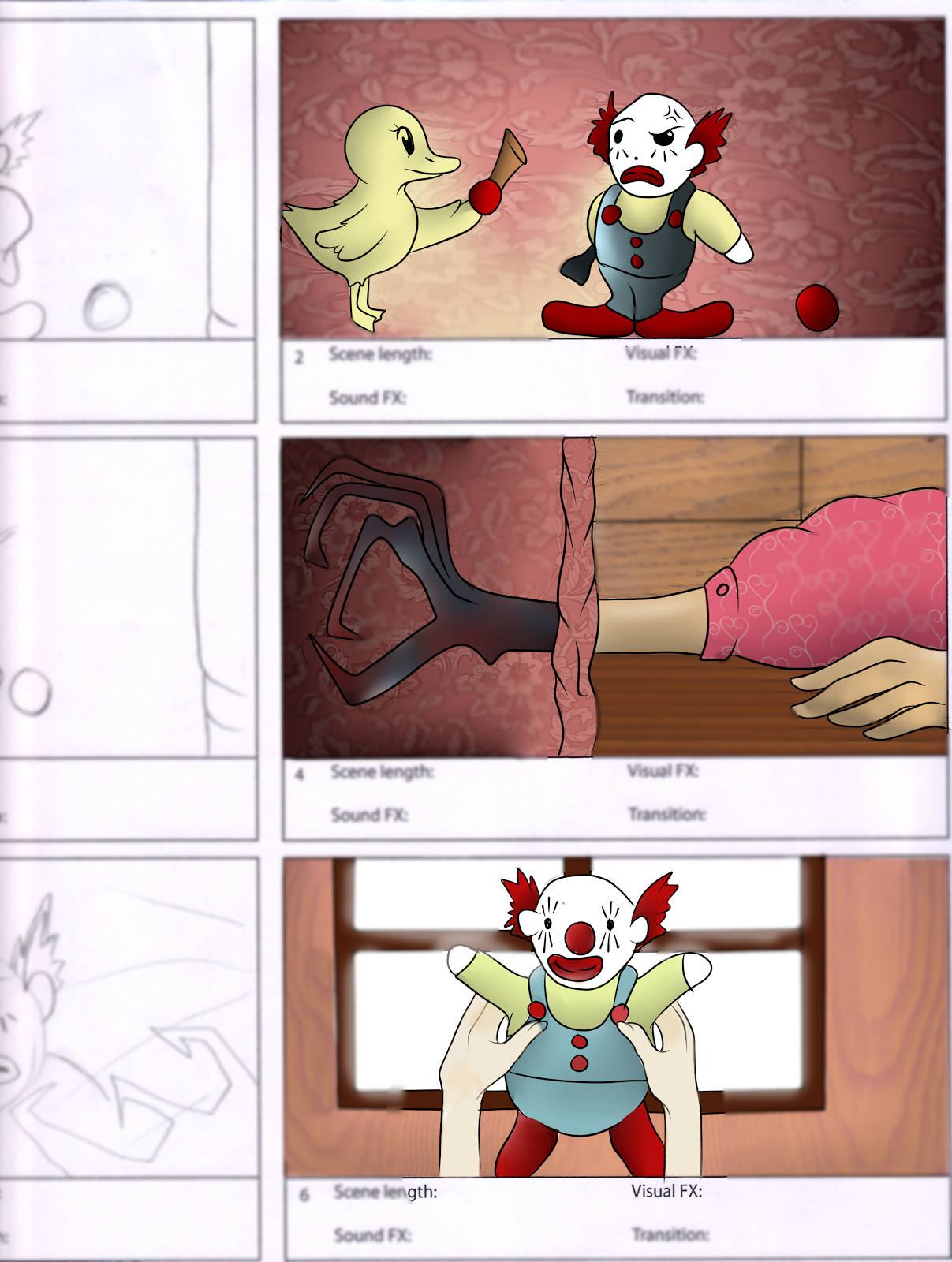
For my second project I was asked to create a storyboard, completely coloured and lined that could be turned into an animatic. I made this storyboard using a combination of Paint Tool SAI, and Photoshop, to both colour and add effects to any of the frames needing them.


I think that the more demanding aspects of this project were being able to get angles and visuals correct in the very small and constrained spaces inside the frames.
One of my most enjoyed aspects of the project was creating the character, as i was given one word, being "circle,"and stemmed it from circle, to circus, to clown noses.